

BasePress is a capable knowledge base plugin. It has a 4.8 star rating and one feature almost nobody else gives away free: unlimited separate knowledge bases on a single site. But it sits at 2,000+ active installs, most of its useful features are locked behind the paid version, and the entry price is $79 per year.
If that combination does not work for you, there are better fits. This guide covers seven of them. Every install count, rating, and version number below comes straight from each plugin’s WordPress.org listing.
Short answer
Pick BetterDocs if you want the biggest, most supported option. Pick weDocs if you want the most free features. Pick AssistCamp if you document software products and live in the block editor. Pick Echo Knowledge Base if layout control matters most.
Why People Look For A BasePress Alternative
Four reasons come up again and again.
1. Core features are premium only. The automatic table of contents is paid. So are tags, article reordering, next and previous navigation, and statistics. BetterDocs, Echo Knowledge Base, EazyDocs, and AssistCamp all include an automatic table of contents in their free versions.
2. The price jumps fast. The entry plan is $79 for one site. The next tier is $279 for five sites. Agencies managing several client sites feel that gap.
3. Support has been inconsistent. Most reviews praise the support. But at least one paying customer has left a one star review saying their bug reports went unanswered for months. With a small team, that risk is real.
4. No AI features. BetterDocs now ships an MCP server and an AI chatbot. weDocs includes a free AI doc writer, and its Pro version connects to Claude and ChatGPT through MCP. Echo Knowledge Base offers optional AI search and chat. BasePress has not moved in that direction.
A note on pricing
We quote prices only where we read them on the vendor’s own pricing page. Most roundups you will find repeat figures that are years out of date. For BasePress alone we found five different current prices across published articles. Always check the vendor page before you buy.
Quick Comparison
|
Plugin |
Active installs |
Rating (reviews) |
Free version |
Best for |
|---|---|---|---|---|
|
BasePress |
2,000+ |
4.8 (75) |
Yes |
Multiple knowledge bases, free |
|
BetterDocs |
30,000+ |
4.8 (515) |
Yes |
Most complete option overall |
|
Echo Knowledge Base |
10,000+ |
4.9 (124) |
Yes |
Layout and design control |
|
weDocs |
5,000+ |
4.6 (69) |
Yes |
Most features without paying |
|
AssistCamp |
New plugin |
No reviews yet |
Yes |
Product docs in the block editor |
|
EazyDocs |
2,000+ |
4.7 (100) |
Yes |
Drag and drop doc building |
|
Helpie FAQ |
8,000+ |
4.5 (80) |
Yes |
FAQ pages more than full docs |
|
Heroic Knowledge Base |
Not on WordPress.org |
n/a |
No |
Teams buying a finished product |
1. BetterDocs
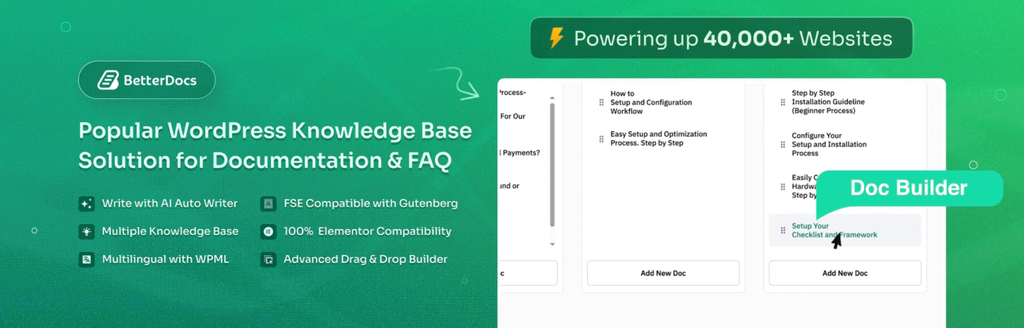
BetterDocs is the default answer for most people. It has 30,000+ active installs and 515 ratings, which makes it roughly fifteen times bigger than BasePress. It is built by WPDeveloper, an established plugin company.
The free version gives you ready made templates for your docs homepage, single articles, and archive pages. You also get a floating table of contents, live search, import and export tools, and Gutenberg blocks for search forms and category grids. Elementor users get dedicated widgets.
It has also moved fastest on AI. The listing advertises an MCP server that lets assistants like Claude and ChatGPT read and update your docs, plus AI writing and an AI chatbot add-on. If you care about your docs being usable by AI assistants, that matters.
Pros
-
Largest user base and review count
-
Strong free version with templates and a table of contents
-
Ahead on AI and MCP features
-
Elementor and Gutenberg support
Cons
-
Multiple knowledge bases are paid
-
AI chatbot and analytics need Pro
-
Heavier than simpler plugins
-
Lots of upsell prompts in admin
Verdict: The safest switch from BasePress. Just note that the multi knowledge base feature you had free in BasePress becomes a paid feature here.
2. Echo Knowledge Base
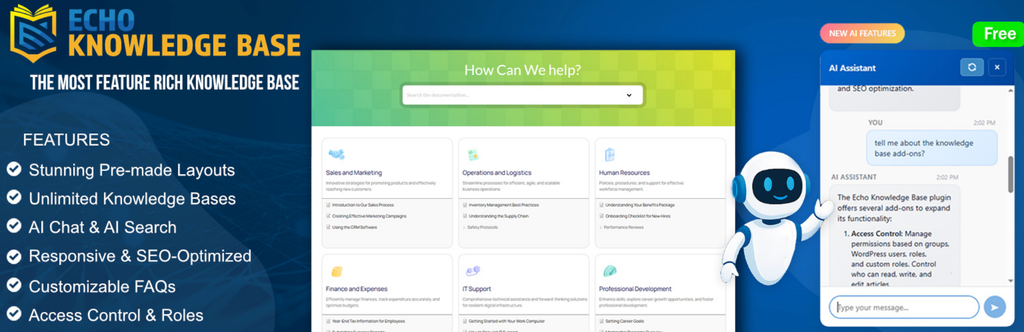
Echo Knowledge Base sits at 10,000+ active installs with 124 ratings, and it has the highest average rating on this list. Its strength is presentation. You get a setup wizard and a choice of layouts, including basic, tabbed, and category focused designs.
Nearly every visual element can be customised without writing CSS. It also includes optional AI search and AI chat, plus FAQs, quizzes, and CSV or XML import and export. The AI features are switched off by default, so you only use them if you want them.
Pros
-
Highest average rating on this list
-
Many layouts plus a setup wizard
-
Deep styling without touching CSS
-
Optional AI search and chat
Cons
-
So many settings it can feel overwhelming
-
Many extras are sold as paid add-ons
-
Built around its own templates more than the block editor
Verdict: Choose it when design flexibility is the priority and you do not want to touch code.
3. weDocs
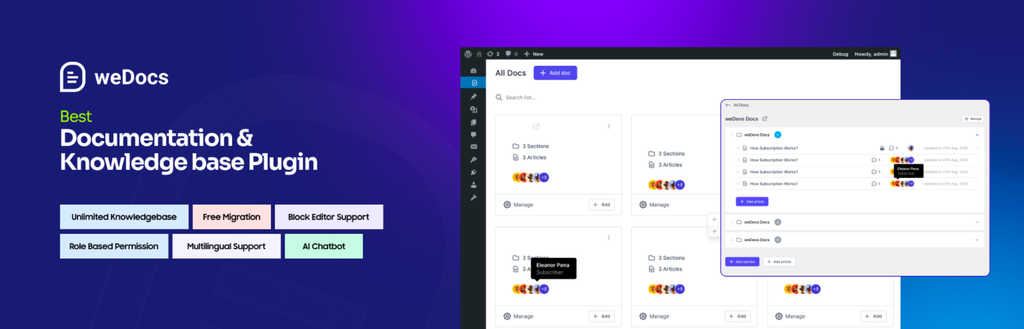
weDocs is the most generous free option on this list. It is made by weDevs, the team behind Dokan. At 5,000+ installs it is smaller than BetterDocs, but the free tier is unusually complete.
Free you get unlimited docs and knowledge bases, a drag and drop editor, quick search, feedback voting, an FAQ builder, and a dashboard showing views, helpful rate, and popular docs. It also includes an AI doc writer that drafts documentation from a prompt or a screenshot, plus a migration tool for BetterDocs users.
Pro adds the AI chatbot, an automatic table of contents, permissions, a public changelog, a glossary, and an MCP connection so Claude or ChatGPT can create and update your docs.
Pros
-
Unlimited knowledge bases free
-
AI doc writer in the free version
-
Built in analytics dashboard
-
Easy migration from BetterDocs
Cons
-
Table of contents is Pro only
-
AI chatbot and MCP need Pro
-
Much smaller user base than BetterDocs
Verdict: The best pick if you refuse to pay. It also keeps multiple knowledge bases free, which is the main thing BasePress users would miss.
4. AssistCamp

Full disclosure: AssistCamp is our plugin. We will keep this section honest, including the parts where it loses.
AssistCamp is built for one job, documenting software products. If you sell a plugin, a theme, or a SaaS tool, and you want the docs on your own domain instead of Notion or GitBook, that is the use case.
It uses the standard Gutenberg editor, so there is no custom editor to learn. The structure is knowledgebases, then doc categories, then docs, with tags on top. Multiple knowledgebases are included free, the same as BasePress. You also get a drag and drop organise screen, a docs hub with search, a category sidebar with counts, breadcrumbs, an automatic table of contents, and per doc cover images. Every feature is currently free.
Where it loses today: it is new. There is no review history to check yet, and it does not have the AI chatbot or MCP features that BetterDocs and weDocs ship. It also has no import tool for docs from other plugins yet. If you want a plugin proven across thousands of sites, pick one of those instead.
Pros
-
Multiple knowledge bases free
-
Built on the standard block editor
-
Automatic table of contents included
-
All features currently free
Cons
-
New, with no reviews yet
-
No AI chatbot or MCP features
-
No import tool from other plugins yet
Verdict: Worth trying if you document products, work in the block editor, and want multiple knowledge bases and an automatic table of contents without paying for them.
5. EazyDocs
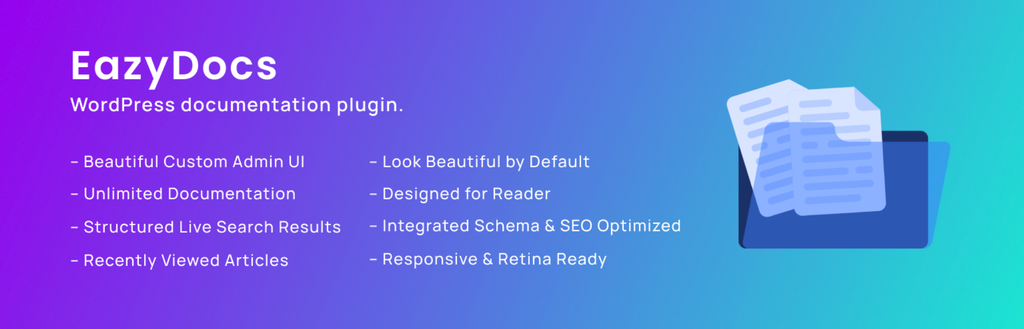
EazyDocs has 2,000+ active installs but 100 ratings, a higher review to install ratio than BasePress. It is built by Spider Themes.
Free you get unlimited docs, a drag and drop builder, live search, an automatic table of contents, and Markdown and CSV import and export. For AI features such as a chatbot, it pairs with Antimanual, a separate free plugin where you bring your own AI provider key. It is a straightforward like for like swap for BasePress at a similar size, with a more modern admin experience.
Pros
-
Unlimited docs with drag and drop building
-
Automatic table of contents free
-
Markdown and CSV import and export
-
Active, engaged reviewer base
Cons
-
Small user base, similar to BasePress
-
AI features need a second plugin and your own API key
-
BetterDocs migration tool is premium
Verdict: A reasonable option, though BetterDocs and weDocs give you more for the same effort.
6. Helpie FAQ
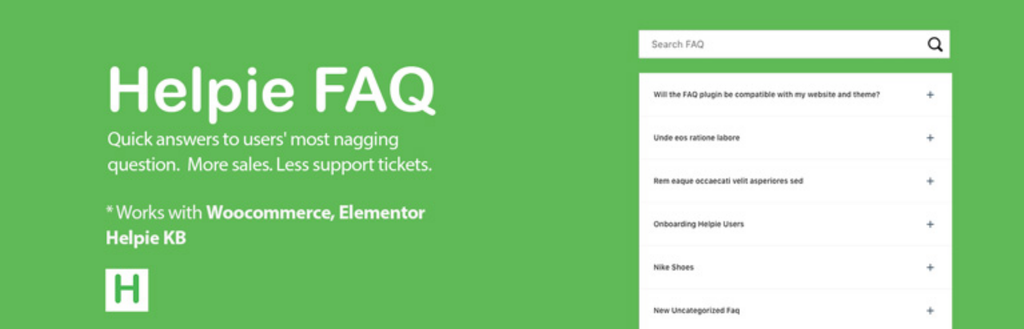
Helpie FAQ has 8,000+ active installs and 80 ratings. It builds accordions, FAQs, and docs with drag and drop, and works with WooCommerce and Elementor. It also shows which questions get read most.
Be clear about what this is. It is an FAQ tool first. If most of your support content is short questions and answers rather than long guides, it is a better shape than a full knowledge base plugin. For a full knowledge base, the same team sells a separate Helpie Knowledge Base plugin.
Pros
-
Fastest way to build FAQ pages
-
FAQs on WooCommerce products
-
Elementor support
-
Shows your most read questions
Cons
-
Not a full knowledge base on its own
-
Lowest average rating on this list
-
Advanced styling needs Pro
Verdict: Right tool for FAQ pages. Wrong tool for a large documentation library.
7. Heroic Knowledge Base
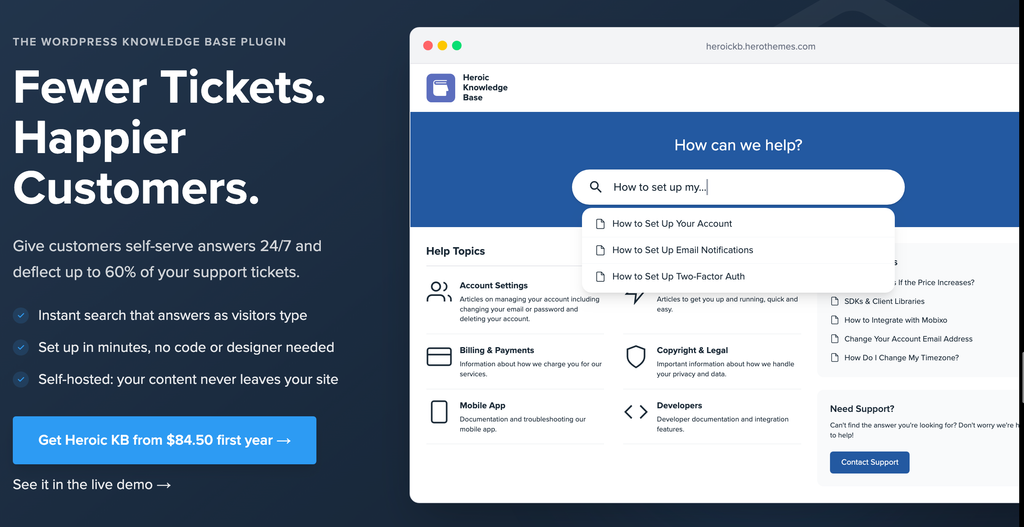
Heroic Knowledge Base from HeroThemes is the premium end of this market. There is no free version and it is not listed in the WordPress.org directory, so you cannot try it without buying.
What you pay for is a finished product. Search analytics, article voting, feedback forms, breadcrumbs, and a polished front end all work on day one with no assembly. The top plan also adds an AI help assistant. Plans start at $169 a year for one site at the regular price, and HeroThemes often runs discounts.
Pros
-
Polished and ready out of the box
-
Search analytics and article feedback built in
-
AI help assistant on the top plan
-
Unlimited users on every plan
Cons
-
No free version to try
-
Most expensive option here
-
AI features only on the top plan
Verdict: Sensible for a business that would rather spend money than time. Check the current price on the HeroThemes site.
How To Choose
You need multiple knowledge bases free → weDocs or AssistCamp
You want the most proven plugin → BetterDocs
You want AI and MCP features today → BetterDocs or weDocs Pro
You want full design control → Echo Knowledge Base
You document a software product → AssistCamp
You only need FAQ pages → Helpie FAQ
What Switching Actually Involves
Knowledge base plugins store articles as custom post types. So your content is safe in the database, but it will not appear automatically in a new plugin.
Three practical points before you move.
- Back up first, then test the new plugin on a staging site.
- Check whether the new plugin has a migration tool. weDocs can migrate docs from BetterDocs, for example, and BetterDocs, Echo Knowledge Base, and EazyDocs support file based import.
- Plan your redirects. Your docs URLs will likely change, and broken links cost you search traffic.
Frequently Asked Questions
Is BasePress still maintained?
Yes, it still gets updates. But it is tested up to WordPress 7.0.8, while BetterDocs, Echo Knowledge Base, weDocs, and EazyDocs are already tested with 7.1.4.
What does BasePress cost?
Its pricing page lists $79 for one site, $279 for five sites, and $779 for ten sites. Licences renew yearly. There is a 14 day money back guarantee.
Which alternative is closest to BasePress?
weDocs. Like BasePress, it keeps multiple knowledge bases in its free version, which is the main reason people choose BasePress. AssistCamp does too, but weDocs has a much longer track record.
Can I use a free plugin for a serious knowledge base?
Yes. weDocs, BetterDocs, and AssistCamp all run a real documentation site on their free tiers. Paid tiers mostly add analytics, permissions, and AI.
Do knowledge base plugins slow down a site?
Modern ones load their scripts only on documentation pages. Live search is the heaviest feature, so test it on your own hosting before committing.
Does my documentation need to work with AI assistants?
Increasingly, yes. Many users now ask ChatGPT or Claude instead of searching your docs. Clean headings, plain text, and public pages matter more than they used to.
The Verdict
BasePress is not a bad plugin. It is a small plugin with a strong niche, and the paywall around basic features is what pushes people to look elsewhere.
For most sites, BetterDocs is the safe switch. For a free setup that matches what BasePress gave you, weDocs is the closest match. And if you document a software product inside the block editor, try AssistCamp.
Leave a Reply