Free on WordPress.org
Your docs belong on your own site.
AssistCamp turns WordPress into a real documentation site. Knowledgebases, categories, live search, and a sidebar that builds itself from what you write.
WordPress 6.0+ · PHP 7.4+ · No account, no external service
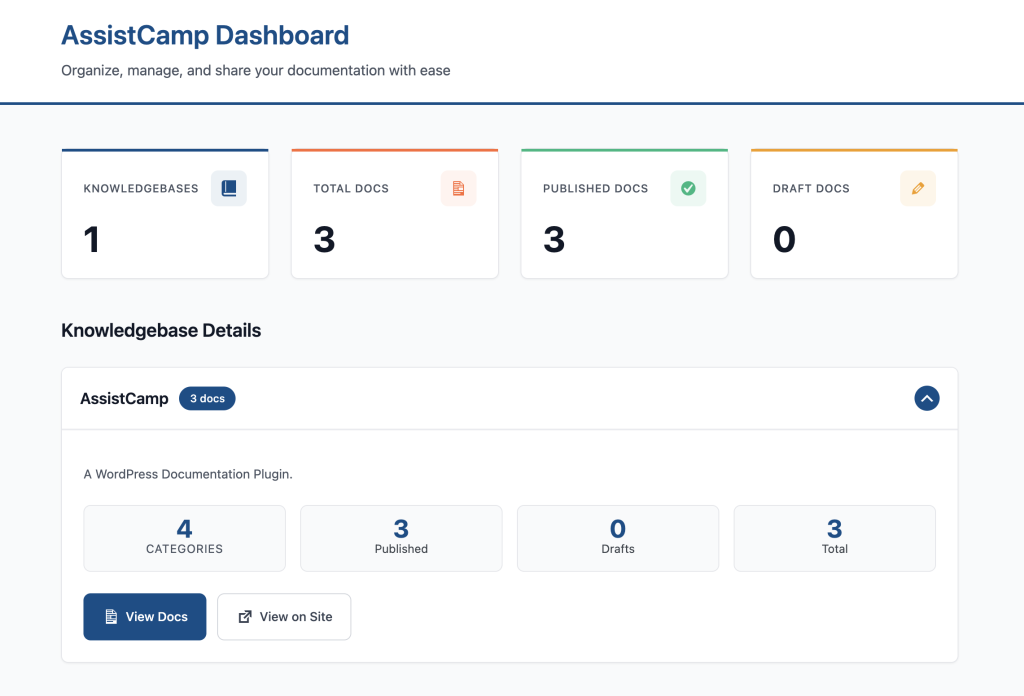
/structure
Three levels, and that is the whole model.
A knowledgebase per product. Categories inside it. Articles inside those. Drag them into the order you want, and the sidebar, the grids, and the breadcrumbs all follow.
WordPress
└─ AssistCamp
   └─ WordPress                        knowledgebase · 18 docs
      ├─ Getting Started               6
      │   ├─ Requirements & Compatibility
      │   ├─ Installation & Activation
      │   └─ Campaign Types
      ├─ Features                      3
      └─ Advanced Targeting            9
          ├─ User Conditions
          └─ Device Conditions
One plugin, every product
Run separate knowledgebases for each product you sell, all on one WordPress install. Categories and tags stay tied to the knowledgebase they belong to, so nothing bleeds between them.
Order it by hand
The Organize screen lets you drag categories and articles into a reading order. Alphabetical is rarely the order people should read a manual in.
Written in the block editor
Every article is a normal WordPress post under the hood. Use the blocks you already use, drop in screenshots, set a cover image, hit publish.
/preview
This is what a reader sees.
Sidebar on the left, article in the middle, table of contents on the right, all generated from your content. Nothing here was laid out by hand.
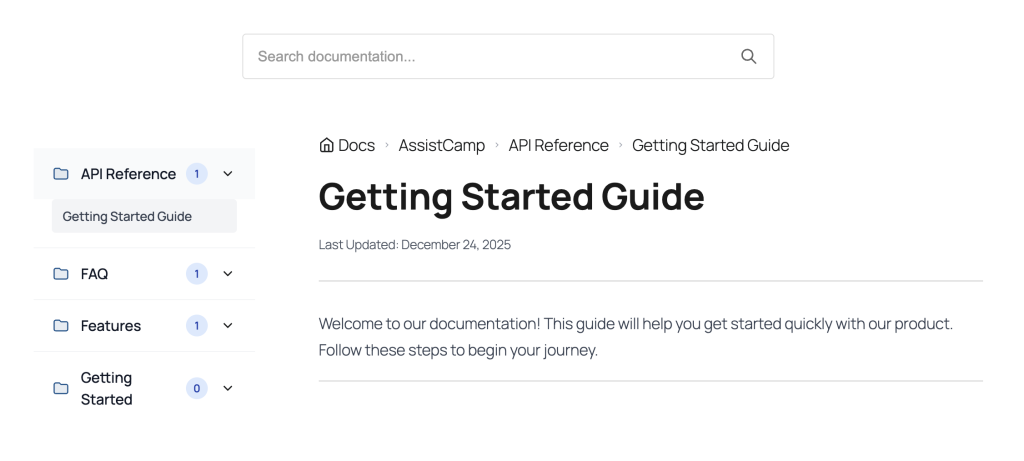
Sidebar, breadcrumbs, search, and table of contents are all blocks. Move them, or leave them where they are.
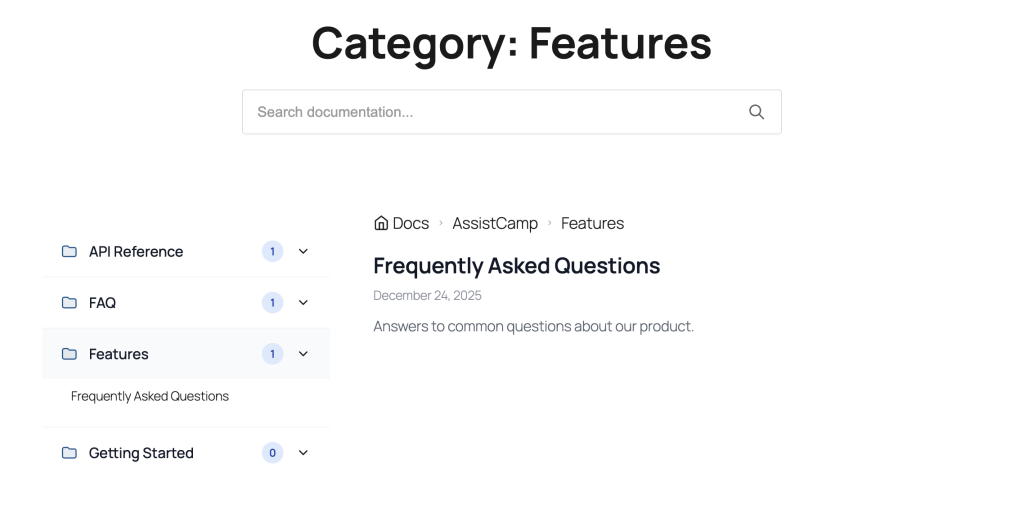
Every category gets its own page, listing what is inside it.
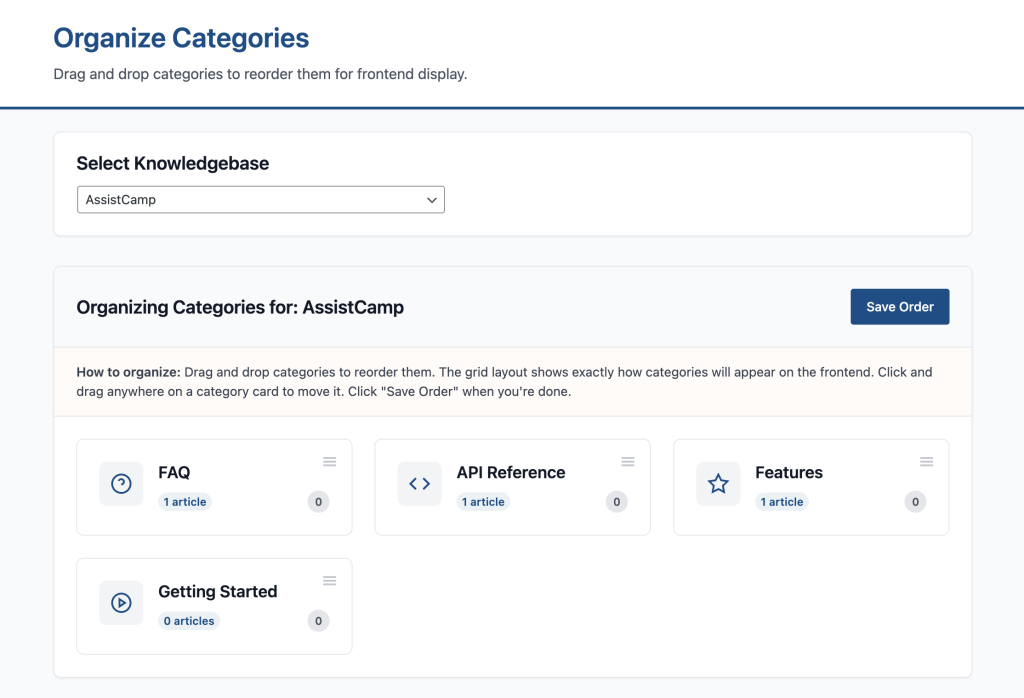
Reading order is set once, by dragging, and the whole site follows it.
/blocks
Ten blocks that only do documentation.
Nothing here is a generic layout block. Each one knows what a knowledgebase is, which article you are on, and what sits next to it.
Sidebar
Collapsible categories and articles with doc counts
Search Form
Live results in a dropdown as the reader types
Breadcrumb
Where the reader is, with your choice of separator
Table of Contents
Built from your headings, sticky, smooth scrolling
Doc Navigation
Previous and next, scoped to the category or the whole KB
Archive Doc List
Filterable, sortable, paginated list of articles
Category Grid
Categories as cards, in the column count you pick
Knowledgebase Grid
Every knowledgebase with its description and count
Single Doc Content
The article body itself, for custom templates
Date
Last modified date in whatever format you use
/setup
Live in about five minutes.
The onboarding wizard runs the moment you activate the plugin, and it leaves you with a working docs site instead of an empty screen.
STEP 01
Activate
Install from the plugins screen. The wizard opens on its own.
STEP 02
Name your knowledgebase
One per product. You can add more later without touching settings.
STEP 03
Pick your URL
Keep /docs/ or change it to /help/, /support/, anything you like.
STEP 04
Write the first article
Sample content is already there, so you can see the layout before you write a word.
Block themes
Full site editing, natively
AssistCamp ships HTML templates for block themes. Open the site editor and rearrange the docs layout the same way you would any other template.
Classic themes
Still fully supported
Classic themes get PHP templates plus Customizer controls for sidebar position, typography, and search. Override any template by dropping it in an assistcamp/ folder in your theme.
AssistCamp 1.1.5
Start writing the docs.
Free, open source, and hosted on your own WordPress. No seats to buy, no content sitting on somebody else’s platform.
Translation ready · Caching built in · Tested up to WordPress 6.9