If you build products on WordPress (plugins/themes) or SaaS, good documentation is not optional. It’s the difference between happy users and endless support tickets.
Yet most documentation tools feel disconnected from WordPress. Tools like Notion, GitBook, or HelpScout Docs live outside your site, break your workflow, and often add recurring costs.
That’s exactly the gap AssistCamp is designed to fill.
In this post, we’ll take a deep look at what AssistCamp is, how it works, and why it’s a solid documentation solution for WordPress-based products.
What Is AssistCamp?
AssistCamp is a self-hosted documentation and knowledge-base plugin for WordPress.
Instead of managing docs on third-party platforms, AssistCamp lets you:
-
Create product documentation directly inside WordPress
-
Organize docs using knowledgebases, categories, and tags
-
Publish a clean, searchable documentation site on the frontend
-
Keep full ownership of your content and data
It’s built specifically for product creators, not as a generic note-taking tool.
Getting Started with AssistCamp
Once you install and activate AssistCamp, you’re guided through a short setup wizard to get up and running quickly.
Initial Setup Wizard
During onboarding, AssistCamp walks you through:
- Creating your first Knowledgebase
- Name and description (e.g., “Demo Knowledgebase”)
- Adding documentation categories
- Default options like Getting Started, Features, API Reference, and FAQ
- Ability to add custom categories (for example, Troubleshooting)
- Generating sample documentation
- Helpful demo docs to understand the structure
- Optional plugin suggestions
- You can install related DotCamp plugins or skip them
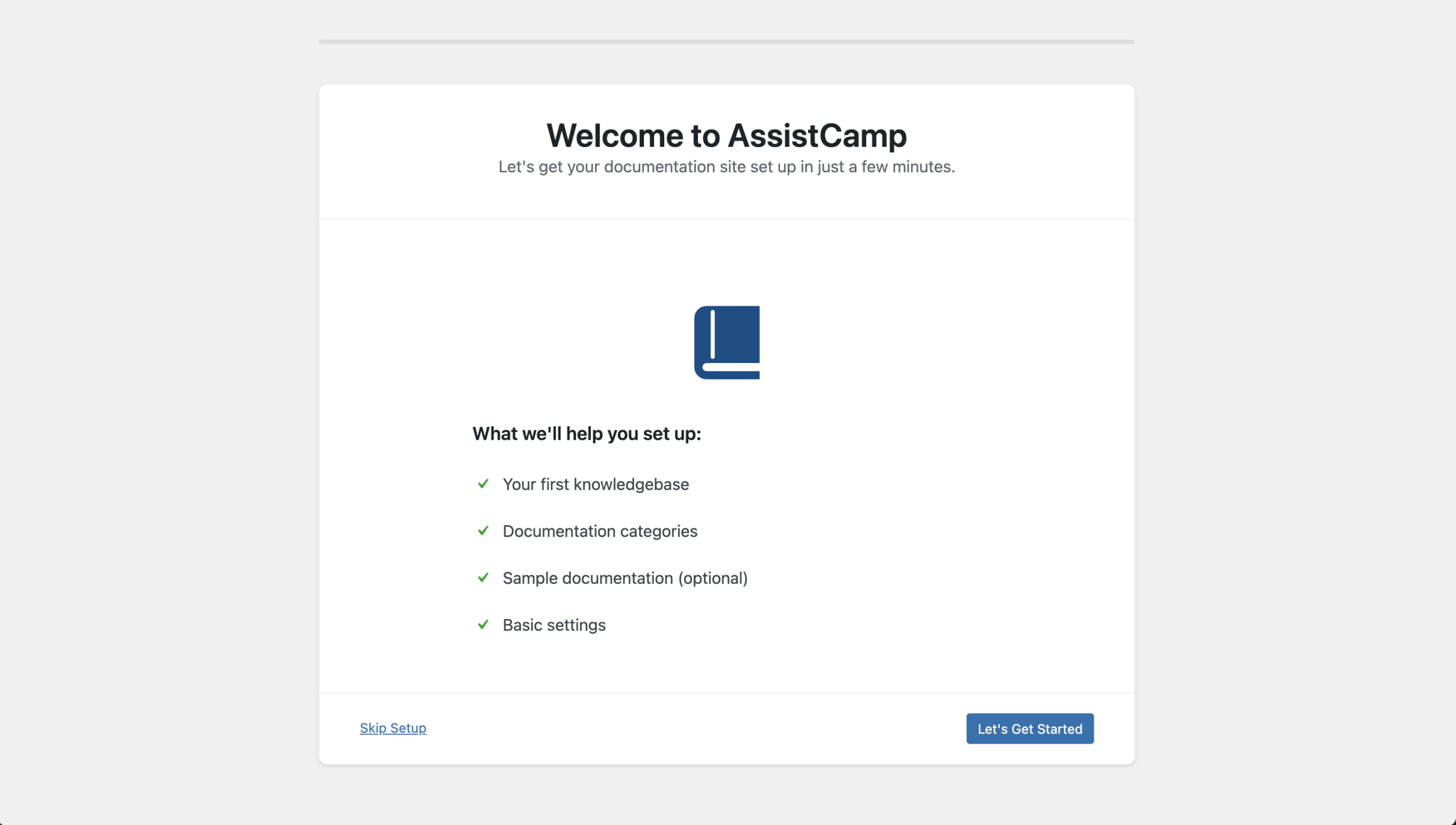
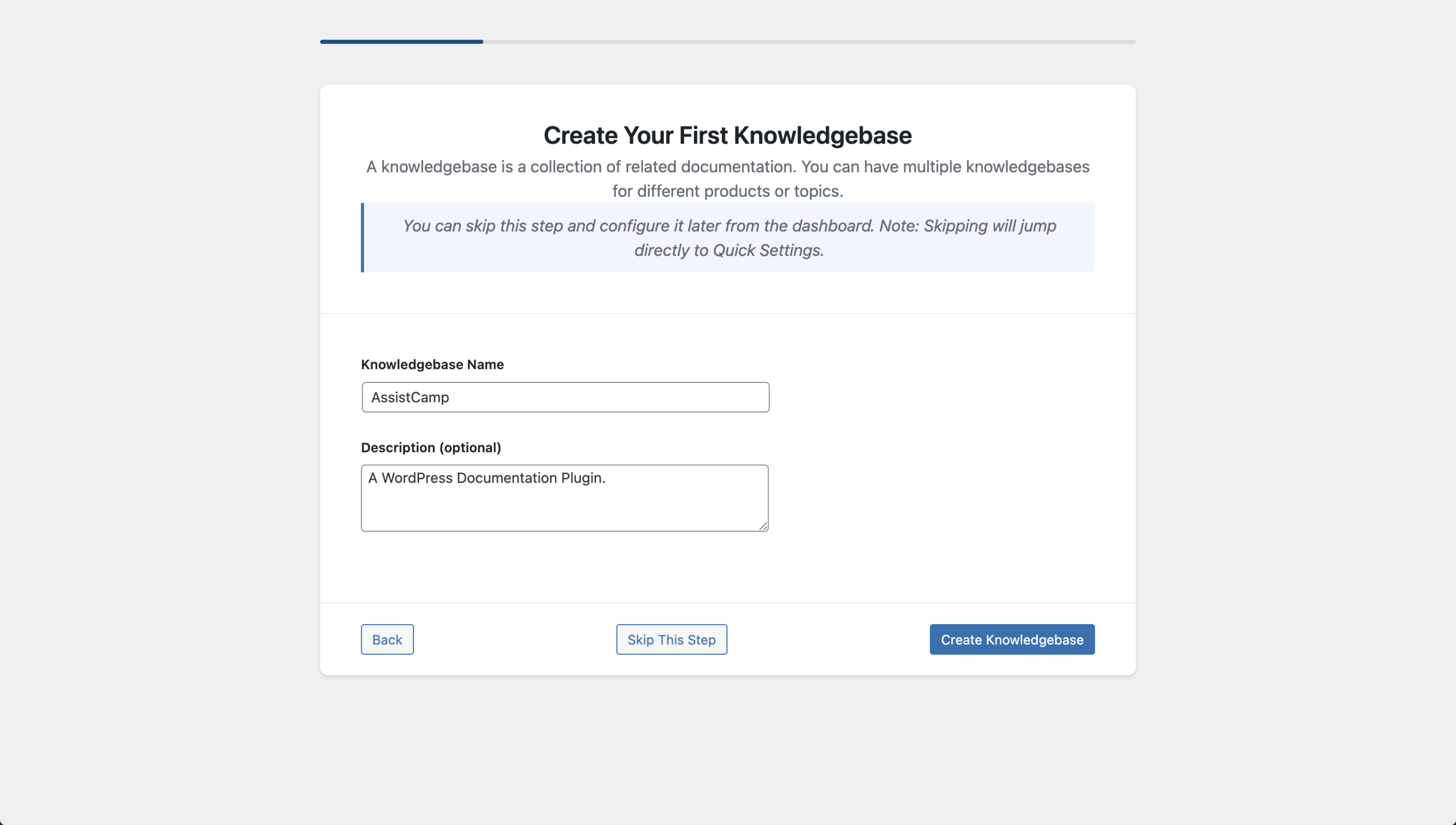
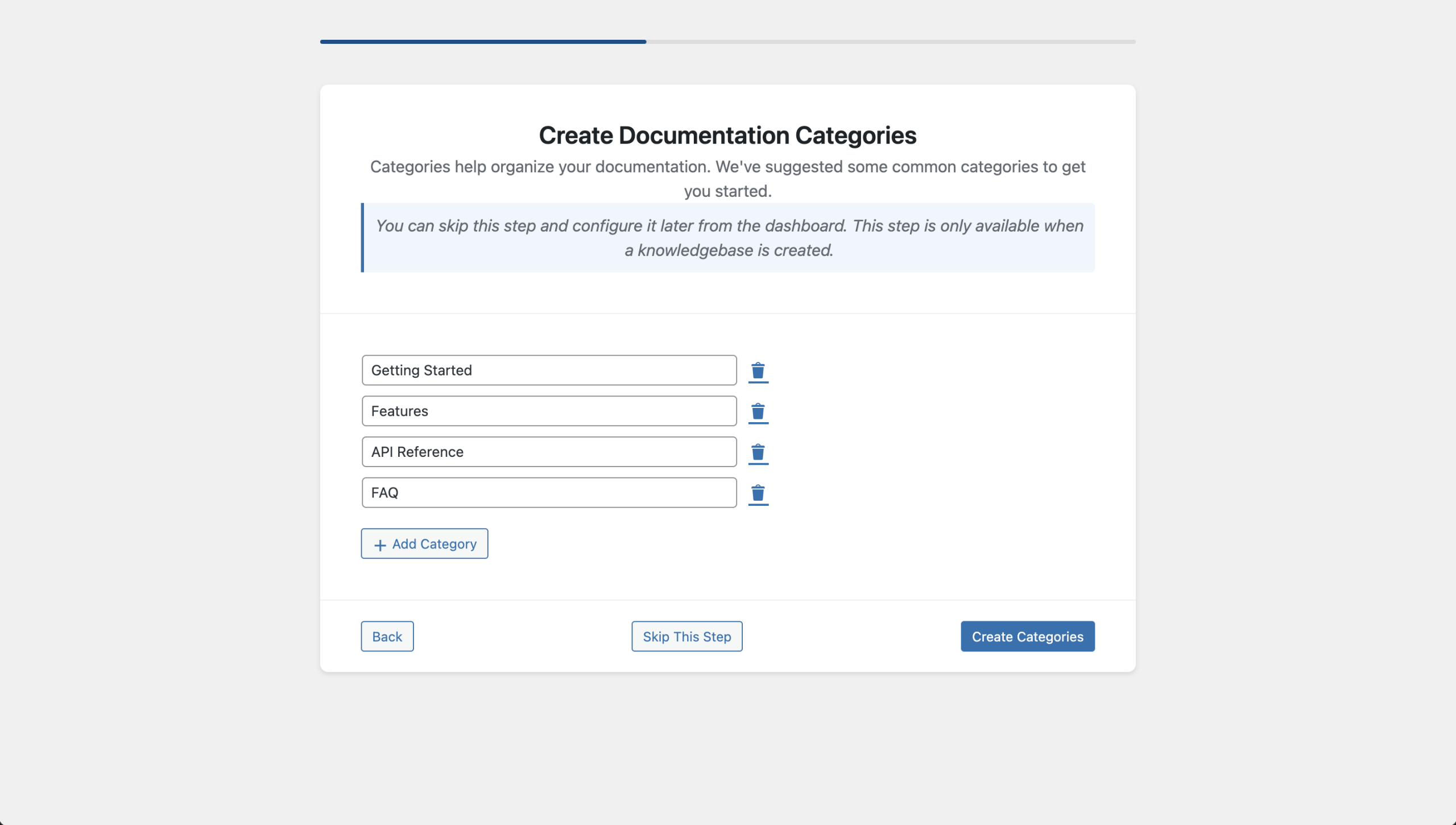
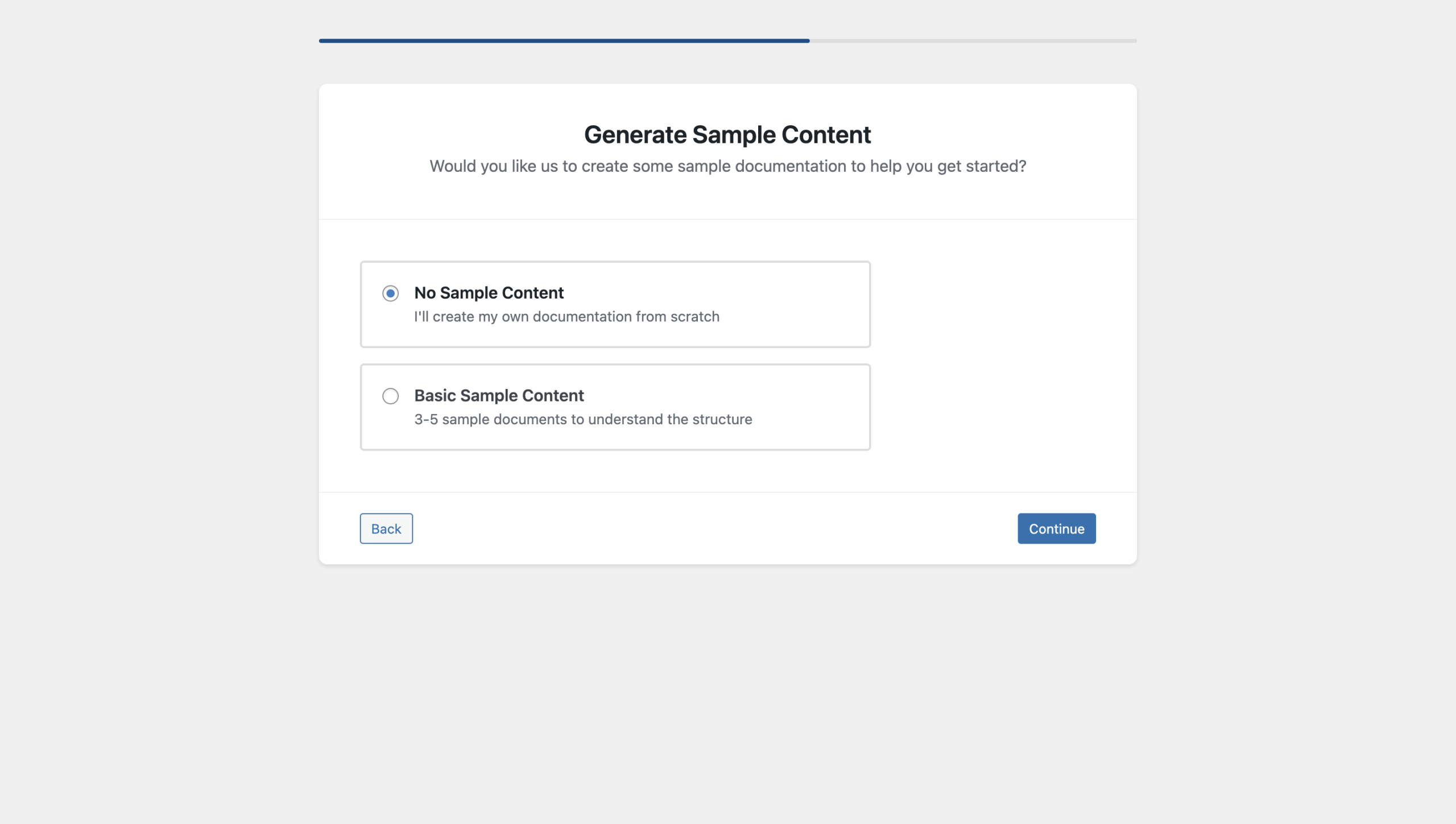
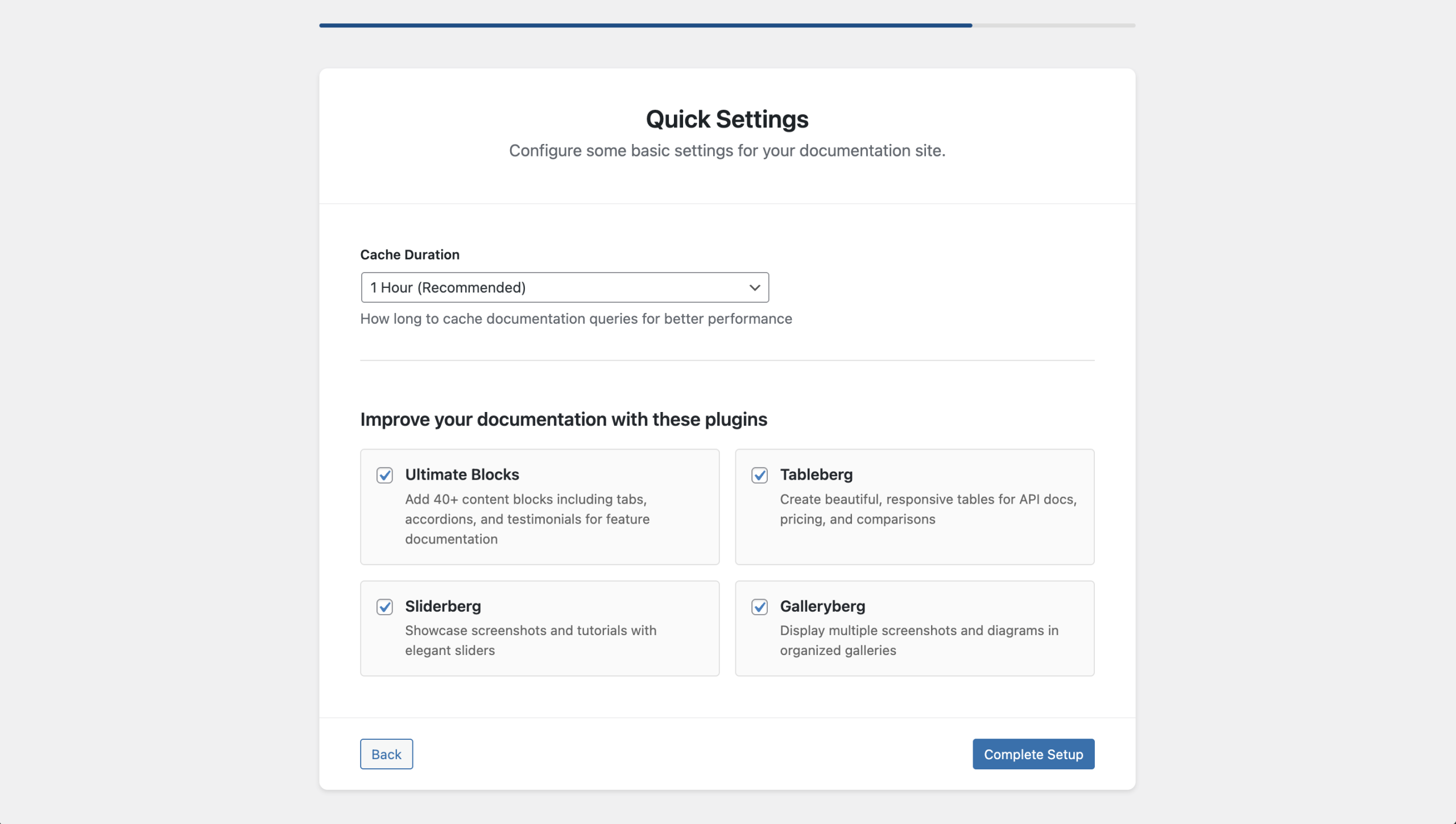
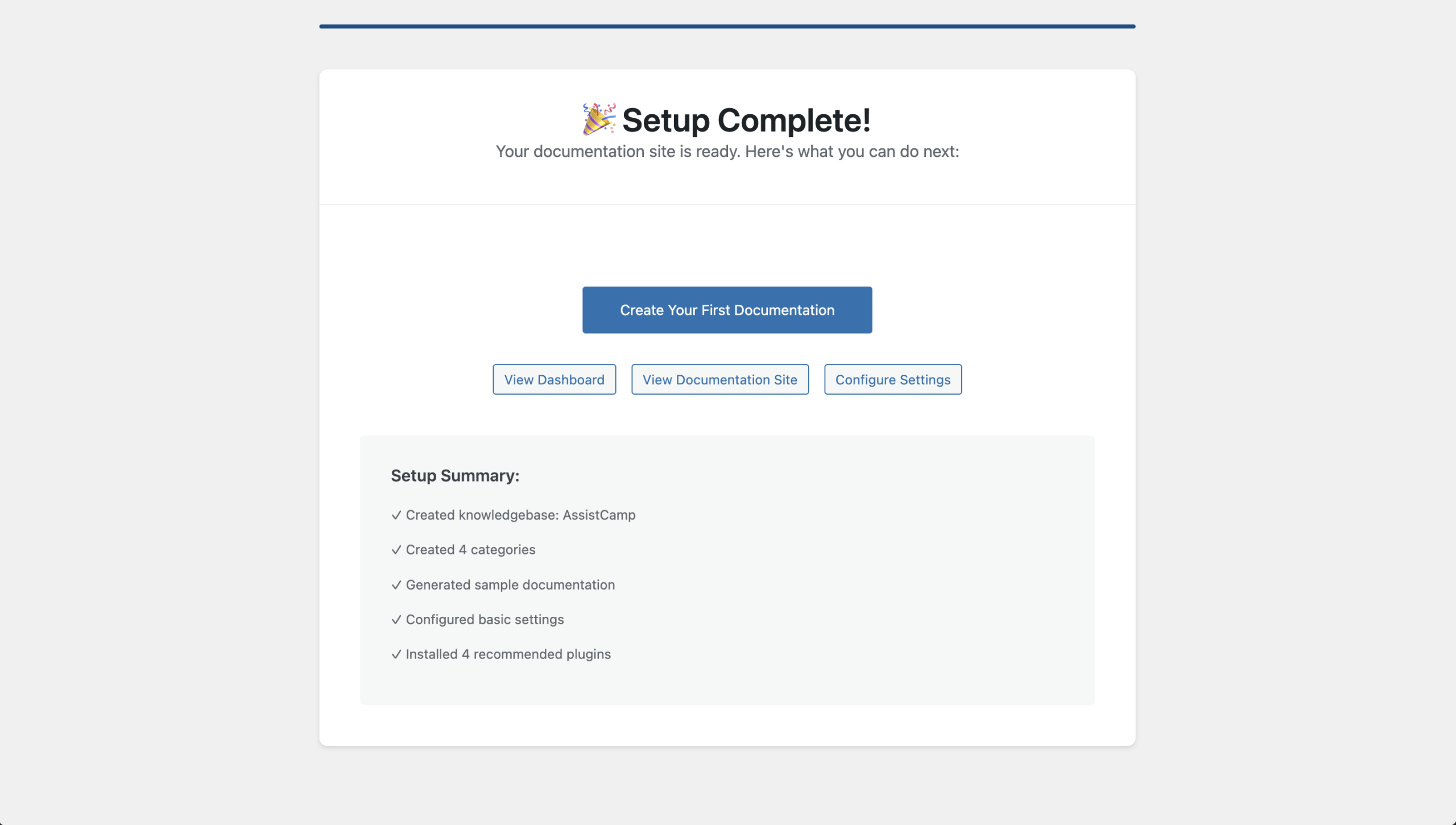
This setup ensures you’re not starting from a blank screen.
AssistCamp Dashboard Overview
AssistCamp Dashboard gives a high-level overview of your documentation.
You can instantly see:
- Total number of knowledgebases
- Total docs
- Published vs draft documents
- Quick action buttons:
- Create a new doc
- Manage categories
- Manage knowledgebases
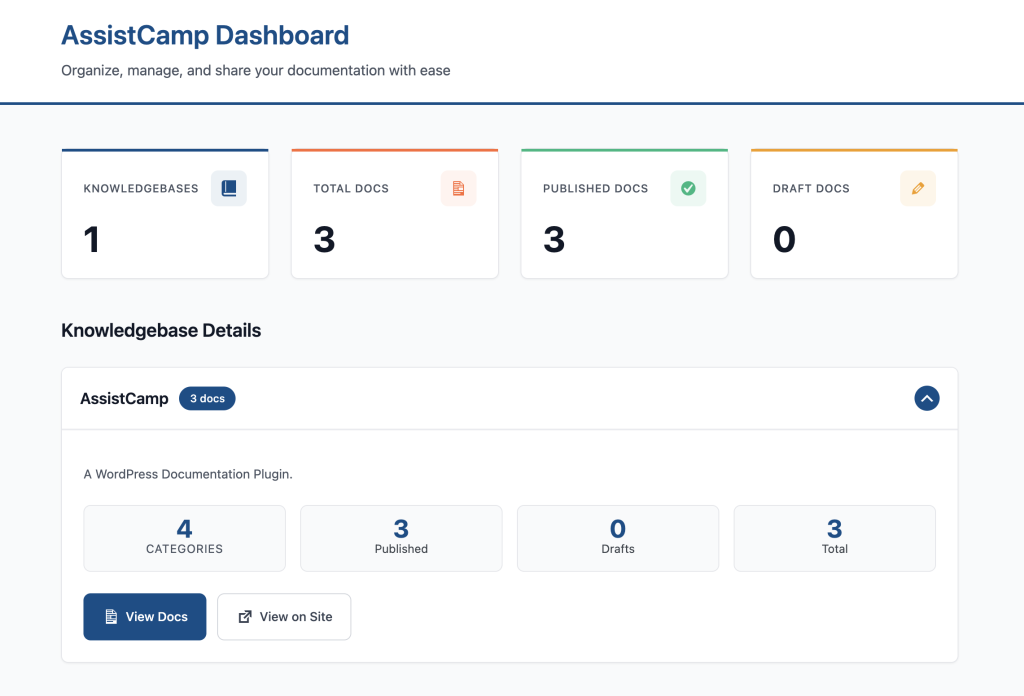
The dashboard is simple, focused, and doesn’t overwhelm you with unnecessary options.
Managing Documentation in the Backend
AssistCamp introduces a dedicated documentation system inside WordPress while still feeling familiar.
All Docs (Documentation List)
Docs are stored as a custom post type and displayed in a clean table view.
For each doc, you can see:
- Title
- Author
- Assigned knowledgebase
- Category
- Tags
- Publish date
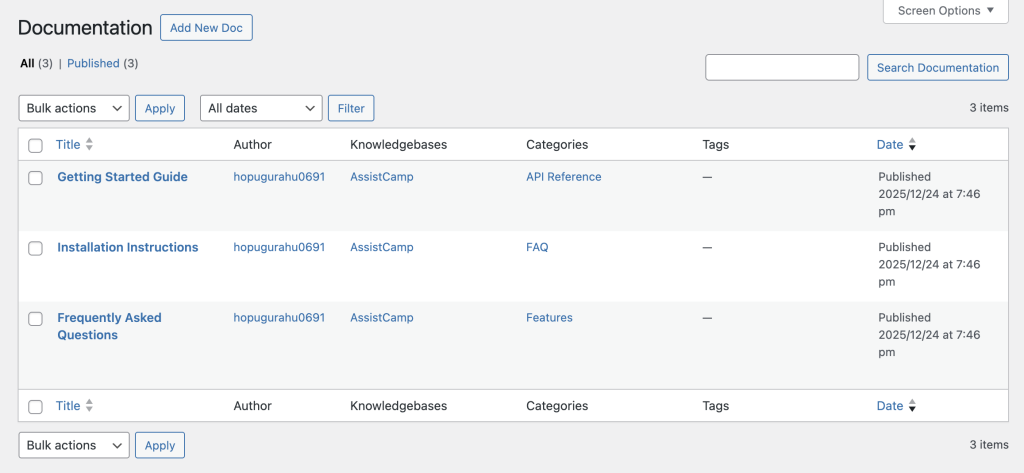
Editing a doc opens the WordPress block editor, so you can write documentation using the same blocks you already know.
Knowledgebases
Knowledgebases act as top-level containers for documentation.
This is especially useful if you:
- Maintain multiple plugins or products
- Want separate documentation areas under one site
You can create, edit, and manage knowledgebases directly from the admin panel.
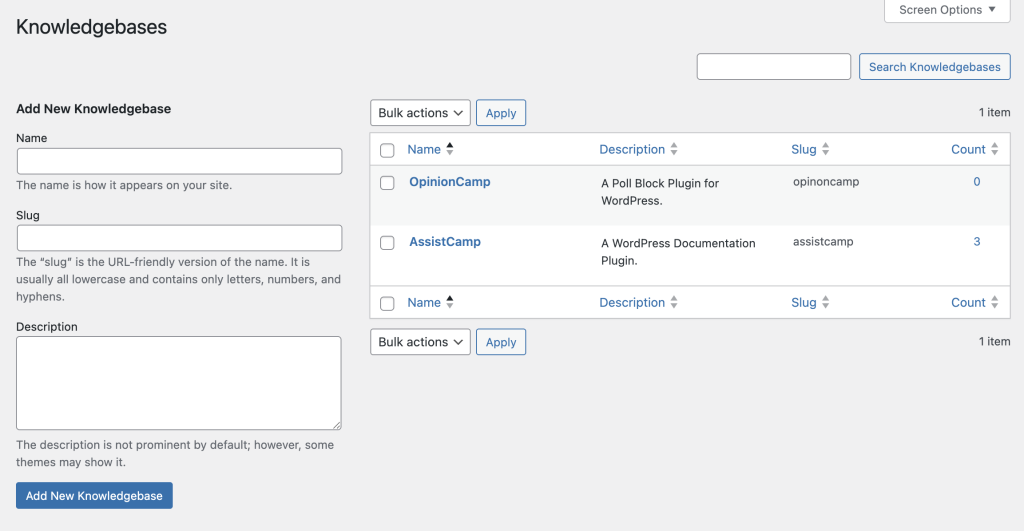
Each doc must belong to a knowledgebase, keeping things structured and scalable.
Documentation Categories
Categories help organize docs within a knowledgebase.
Key features include:
- Hierarchical categories (parent/child)
- Assignment to specific knowledgebases
- Slug and description control
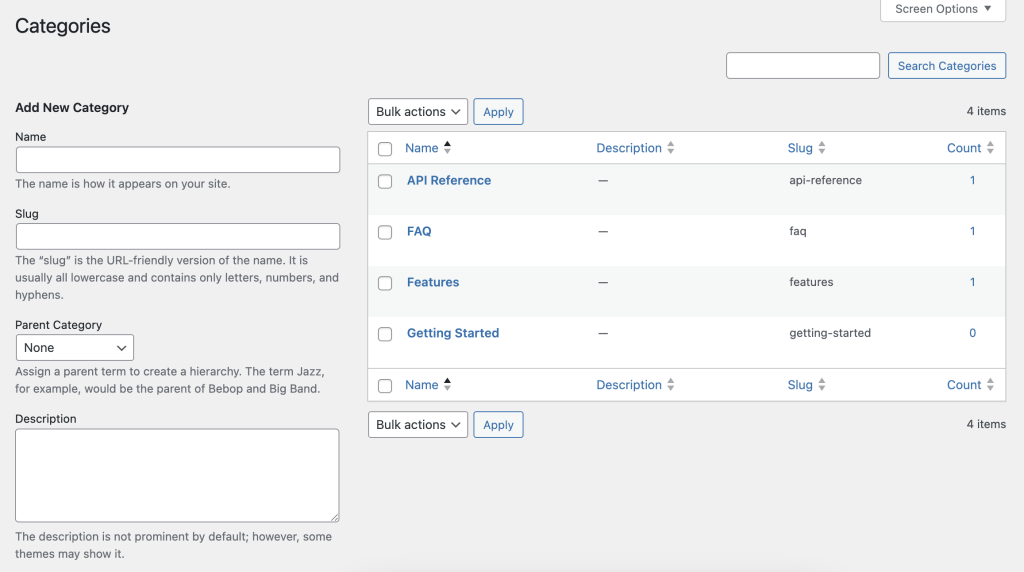
Organize Categories (Drag & Drop)
One of the most practical features is Organize Categories.
This lets you:
- Reorder categories using drag-and-drop
- Control how categories appear on the frontend
- Manage structure without touching code
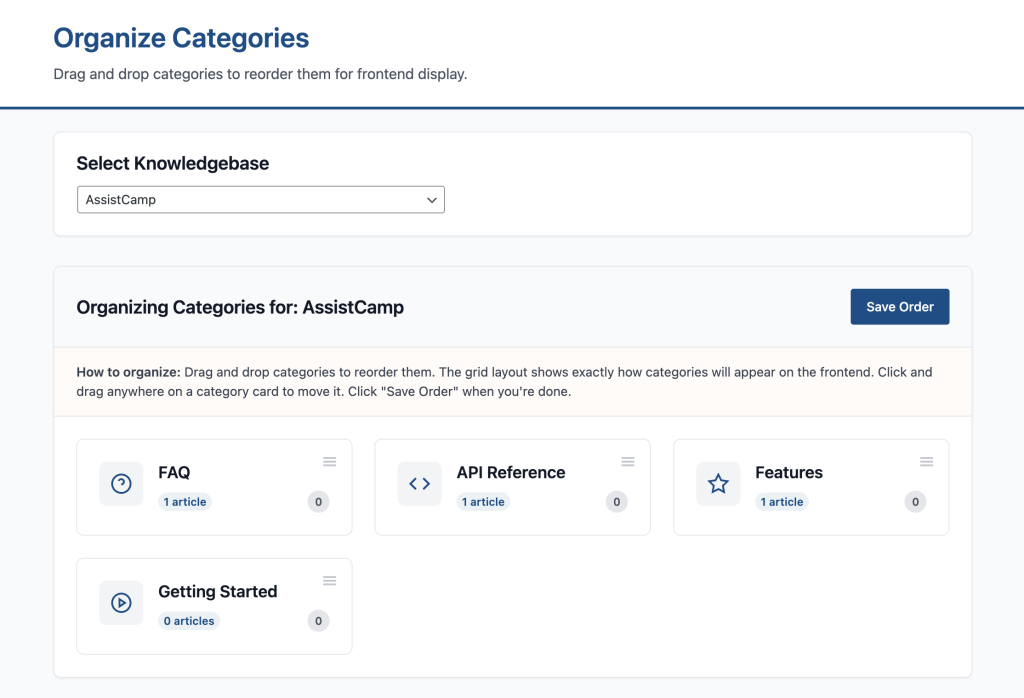
This directly affects navigation on the public documentation pages.
Documentation Tags
Tags provide another layer of organization.
You can:
- Create tags like Beginner, Advanced, For Developers
- Assign tags to specific knowledgebases
- Use them to group related docs across categories
AssistCamp Settings Explained
AssistCamp keeps settings minimal but practical.
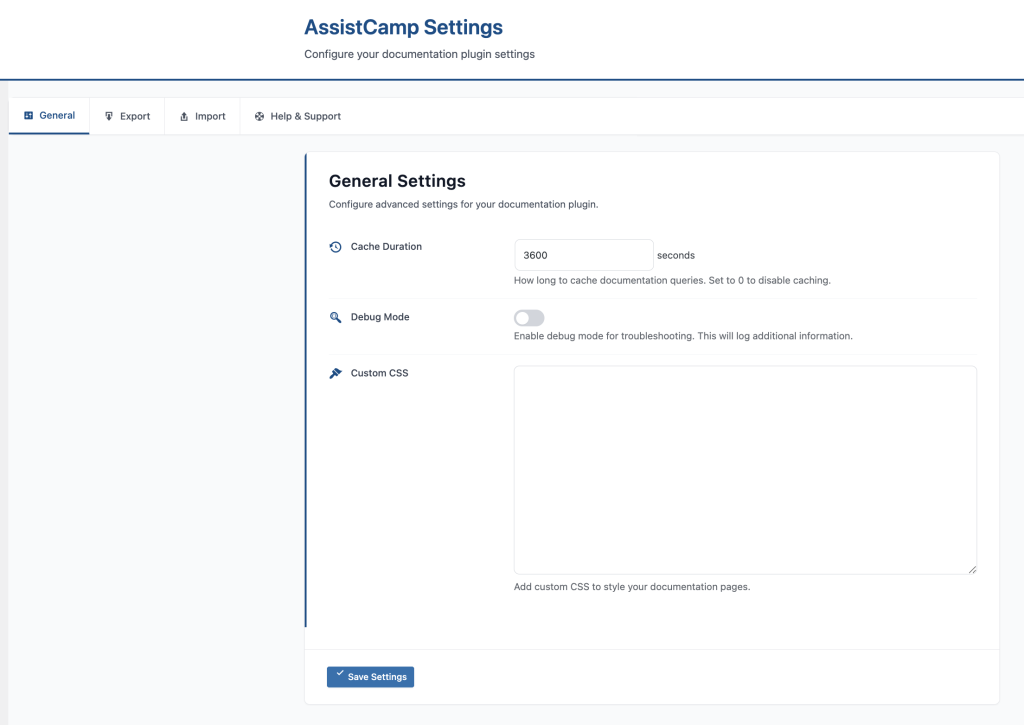
General Settings
Here you’ll find:
- Cache duration – improves performance on large documentation sites
- Debug mode – helpful during development
- Custom CSS – tweak styling without editing theme files
Export Documentation
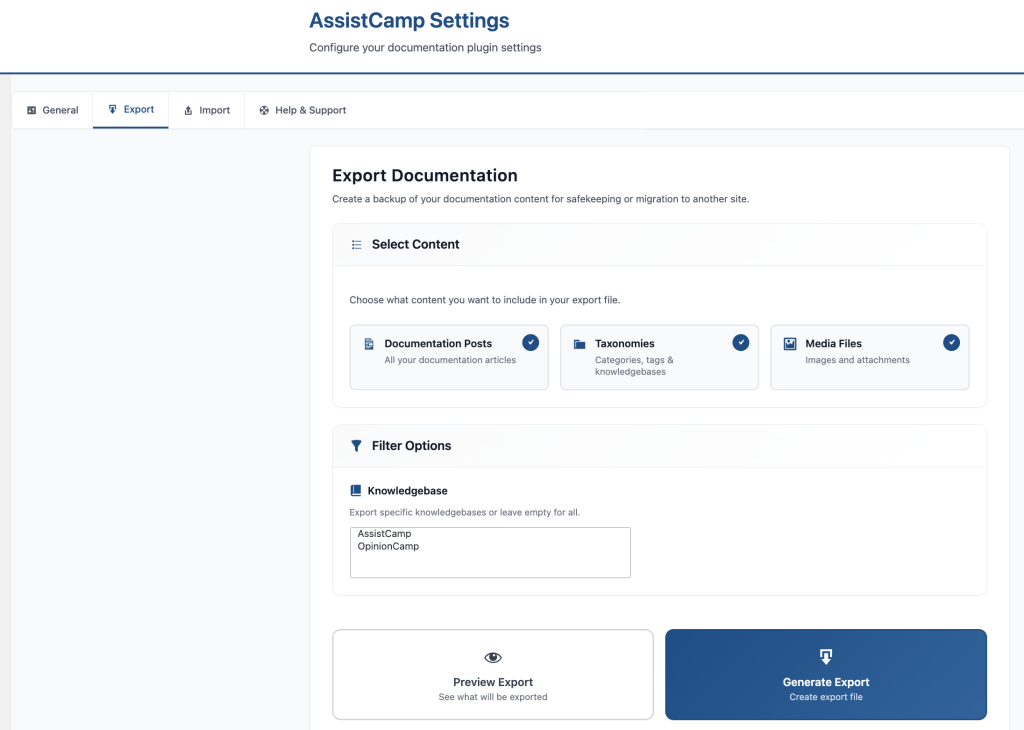
AssistCamp includes a powerful export tool.
You can export:
- Docs
- Categories and tags
- Media files
- Specific knowledgebases only
This is useful for:
- Backups
- Moving docs between sites
- Versioned documentation storage
Import Documentation
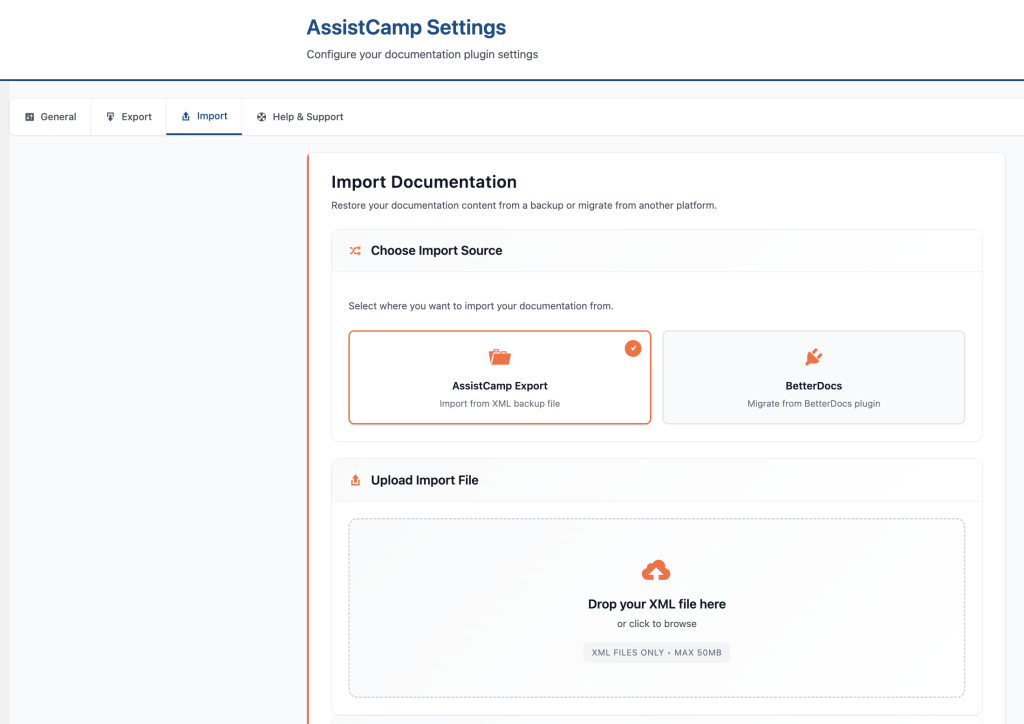
On the import side, AssistCamp supports:
- Importing from AssistCamp exports
- Migration from BetterDocs
- Options to update existing docs and include media files
This makes switching tools much easier.
Help & Support
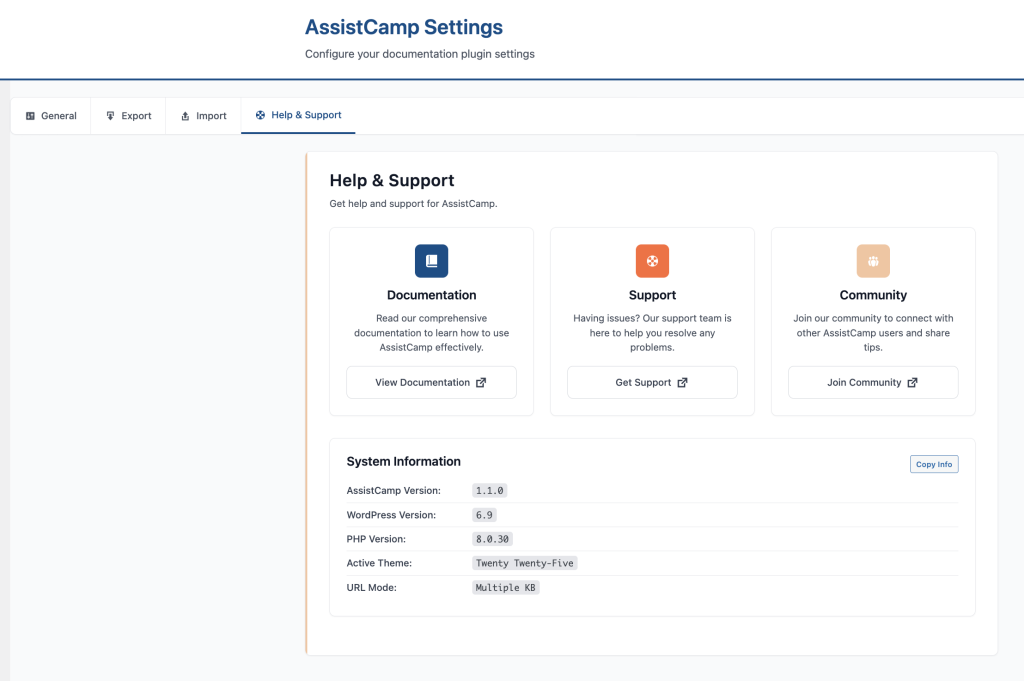
The Help & Support tab includes:
- Links to official documentation
- Support resources
- System information (plugin version, WordPress version, PHP version)
Frontend Documentation Experience
Everything you manage in the backend is reflected in a clean frontend documentation site.
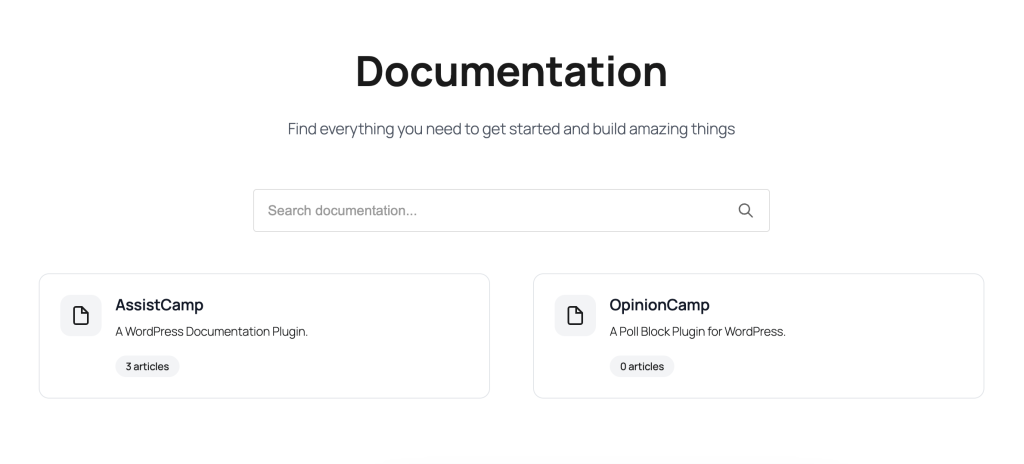
Documentation Home
The main docs page typically includes:
- A global search bar
- List of available knowledgebases
- Article count per knowledgebase
Knowledgebase & Category Navigation
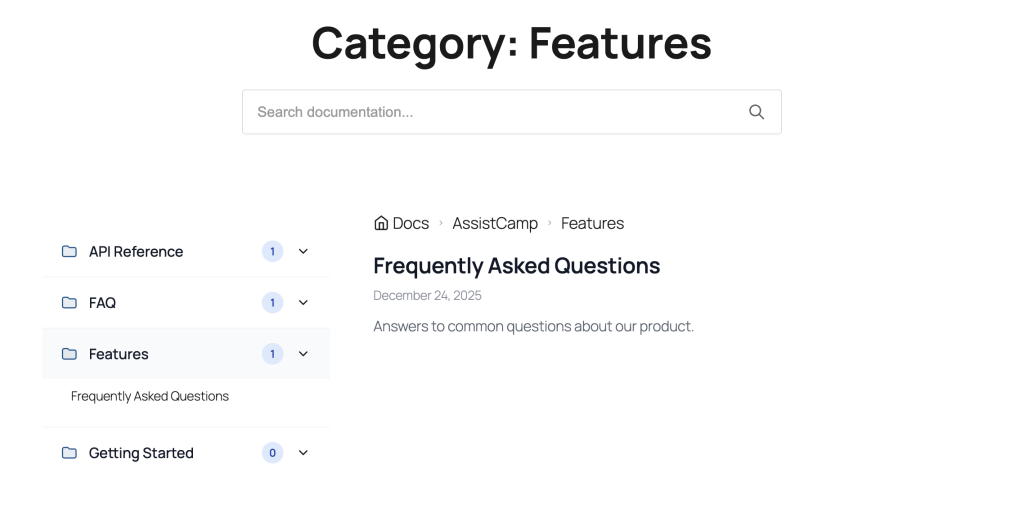
Inside a knowledge base, users see:
- Categories in a sidebar
- Expandable category lists
- Clear hierarchy for easy navigation
Reading a Documentation Article
Each doc page includes:
- Breadcrumb navigation
- Last updated date
- Clean typography
- Integrated search
- Category sidebar for quick jumping
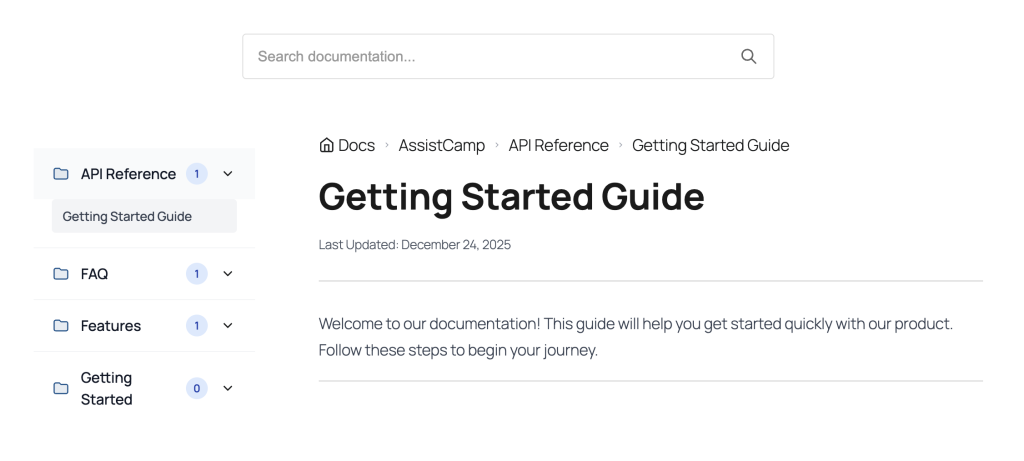
This layout makes long documentation easy to scan and understand.
Why AssistCamp Is a Great Choice for WordPress Users
AssistCamp stands out because it’s built for WordPress, not adapted to it.
Key Advantages
- Self-hosted – your docs live in your WordPress database
- Gutenberg-native – use the block editor you already know
- Multiple knowledgebases – perfect for multi-product businesses
- Structured organization – categories, tags, and hierarchy
- Migration-friendly – import/export and BetterDocs support
- Lightweight – no external SaaS scripts or dependencies
Final Thoughts
AssistCamp offers a clean, practical way to manage product documentation without leaving WordPress.
If you’re tired of juggling external documentation tools or want tighter control over your product docs; AssistCamp is a strong alternative worth considering.
Whether you’re building your first plugin or maintaining multiple WordPress products, AssistCamp helps you create documentation that’s structured, searchable, and easy to maintain.